Every page on your site is either optimised for a specific search query or it is not. There is no middle ground. A page with a title that says "Services" and a heading that says "What We Do" is not optimised for anything. A page titled "SEO Services Bangkok | Tomer Shiri" with a clear H1 and content that directly addresses what business owners searching for SEO services in Thailand want to know is optimised.
The difference between those two pages, in rankings and in conversion, is significant. On-page optimisation is also one of the few SEO levers entirely within your control, requiring no external links, no technical changes to the server, and no developer involvement. It is the right place to start.
Step 1: Choose one keyword per page
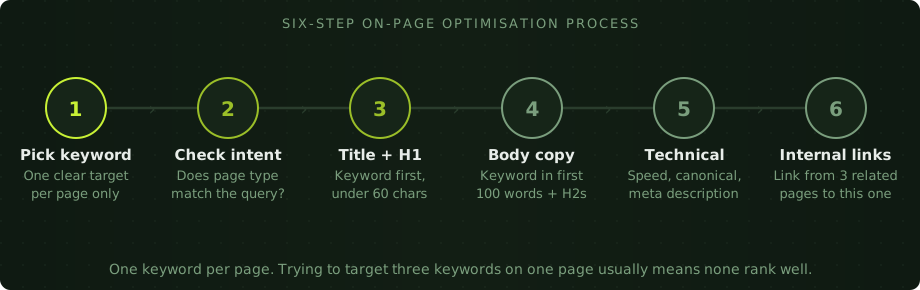
Before touching any element of a page, you need to know what keyword it should rank for. This sounds obvious but most sites never make this decision explicitly. Pages exist with vague titles and headings because nobody ever sat down and said: this page should rank for this specific phrase.
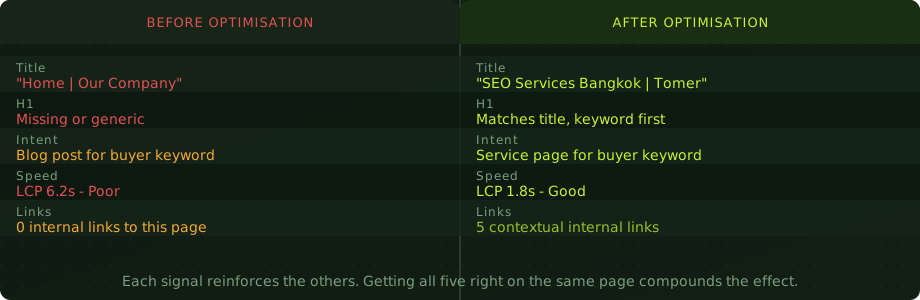
Choosing the keyword starts with understanding the intent. What is the person searching for this phrase actually trying to do? Are they researching a topic, comparing options, or ready to buy? The page type needs to match the intent. A blog post should not try to rank for a commercial buying query. A service page should not try to rank for an informational how-to query. Intent mismatch is one of the most common reasons pages fail to rank despite being technically correct.
Choose one primary keyword. Closely related secondary terms will appear naturally in the content as you write about the topic in depth. There is no need to force them. But the primary keyword should be clear in your mind before you write the first word of the title.
Step 2: Write the title tag and H1
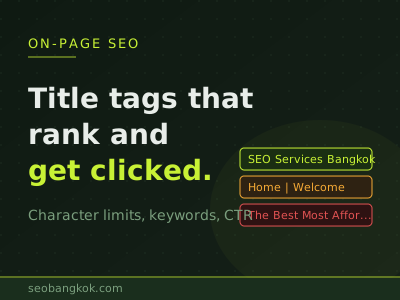
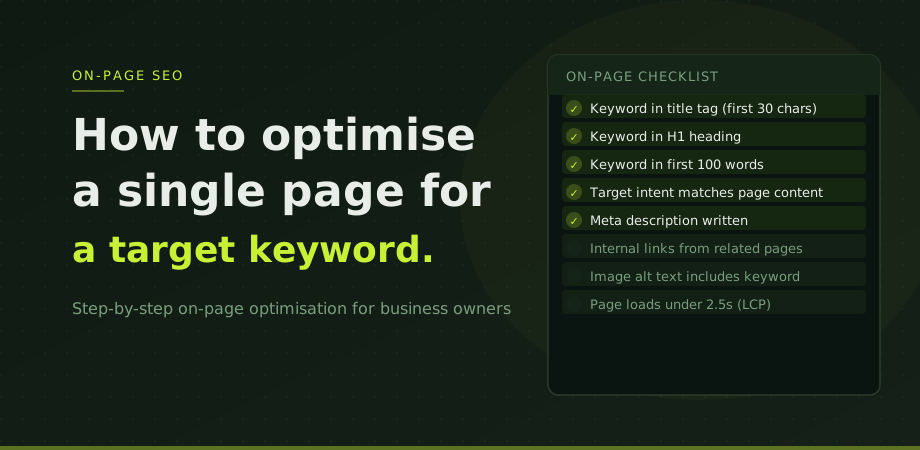
The title tag and H1 are the two most important on-page signals. Both should include the primary keyword, ideally towards the start. The title tag should be under 60 characters. The H1 should be clear and descriptive of what the page is actually about.
The title and H1 do not need to be identical, but they should be clearly aligned. A title that says "SEO Services Bangkok | Tomer Shiri" and an H1 that says "Senior SEO Consultant in Bangkok" are aligned. A title that says "SEO Services Bangkok" and an H1 that says "Welcome to Our Digital Agency" are not.
The full guide to writing effective title tags, including character limits, keyword placement, and what Google rewrites, is unpacked in the title tag guide.
Step 3: Open with the keyword
The keyword should appear in the first 100 words of the body content. This is not a strict rule, but it is a reliable practice. When Google crawls the page and evaluates its relevance for a query, the early content carries more weight in establishing the page's topic.
Do not force it unnaturally. If the keyword is "local SEO Bangkok", writing "In this article about local SEO Bangkok, we will discuss local SEO Bangkok" is worse than writing a natural opening paragraph that includes the phrase once in a way that reads well.
Use the keyword and its close variants in subheadings (H2, H3) where they fit the content structure. This is not about stuffing headings with keywords. It is about structuring the page so that its sections naturally address the different aspects of the query. A well-structured page about local SEO in Thailand will include headings about Google Business Profile, map pack rankings, and location-specific signals because those are the topics the query implies.
Step 4: Match depth to the competition
One of the most common reasons pages do not rank is that they are too thin for the query. Search for your target keyword and look at what is ranking. If the top results are comprehensive 2,000-word guides, a 400-word page will not compete on content depth, regardless of how well the other signals are optimised.
Word count is a proxy for depth, not a target in itself. The question is not "how many words" but "does this page fully address what someone searching for this keyword needs to know?" A 600-word page that directly and completely answers a specific question is better than a 2,000-word page that pads the answer with filler.
In practice, for competitive commercial queries in Bangkok and the Thai market, service pages need substantive content covering what the service includes, who it is for, how it works, and what results it produces. Thin pages with three paragraphs of generic copy will not rank for competitive terms regardless of technical signals.
Step 5: Check the technical signals
Once the content is in place, verify the technical elements. These are quick checks that should be part of every page review.
The meta description should be written. It is not a ranking factor, but it affects click-through rate from search results. A compelling 150-character description that accurately represents the page and includes the keyword gives searchers a reason to click your result. Google sometimes rewrites meta descriptions, but having a well-written one reduces the chance of a poor rewrite.
Images on the page should have descriptive alt text that includes the keyword where natural. Alt text serves accessibility first and SEO second, but both are served by the same principle: describe what the image shows accurately.
The page should load quickly. Run it through PageSpeed Insights. If LCP is above 2.5 seconds, the technical issues (usually images and server response time) need addressing before the on-page work will have its full effect. A well-optimised page on a slow server is still a slow page. The page speed guide covers what actually moves the numbers.
The page should have a self-referencing canonical tag pointing to its own URL. This prevents duplicate content issues from URL parameter variations.
Step 6: Build internal links to the page
A page that is well-optimised on its own but receives no internal links from the rest of the site is competing with a disadvantage. Internal links pass authority from linking pages to the linked page, and the anchor text of those links reinforces the page's topical relevance for the target keyword.
Once you have optimised the page, identify three to five existing pages on the site that are topically related and could naturally link to it. A blog post about on-page SEO techniques should link to the main SEO service page. A guide to Google Search Console should link to a page about technical SEO audits. These connections are both logical for readers and valuable as SEO signals.
The internal linking guide covers the full mechanics of how to build this structure across an entire site. For a single page, the immediate action is to find the three most relevant existing pages and add a contextual link to the newly optimised page from each one.
How to check if it is working
Open Google Search Console and go to the Performance report. Filter to the specific URL using the Pages tab. Check what queries the page is getting impressions for and what average position it holds for the target keyword.
For an existing page that already had some ranking history, changes in on-page signals typically show effects within two to four weeks. For new pages, expect eight to twelve weeks before meaningful position data appears. Google needs time to recrawl, reassess, and test the page in different positions before settling.
If the page is appearing for impressions but not converting those into clicks, the issue is usually the title or meta description, not the on-page content. If it is not appearing for impressions at all, check first that the page is indexed via the URL Inspection tool, then review whether the content genuinely matches the intent and depth of what is currently ranking.
On-page optimisation is the foundation of every other SEO effort. Links to a poorly optimised page produce less result than links to a well-optimised one. If you are working with an SEO consultant in Bangkok or managing this process in-house, applying this process consistently across every key page on the site is one of the highest-return activities available. Our digital consultancy service includes on-page reviews as part of the initial site assessment for every engagement.
On-page optimisation questions
How many keywords should I target on one page?
One primary keyword, with closely related secondary terms woven in naturally. Trying to target three or four distinct keywords on a single page usually means none rank well, because the page cannot clearly be about all of them simultaneously. Pick the most valuable keyword for that page and let the content address related terms naturally.
How long should a page be to rank for a keyword?
Long enough to fully answer the query. Check what is already ranking for your target keyword and assess the depth those pages provide. Word count is a proxy for depth, not a target in itself. Write to the level of detail the intent requires.
Does keyword density still matter?
No. Google's understanding of content is semantic, not based on counting keyword occurrences. What matters is that the keyword appears naturally in the title, H1, early body content, and relevant subheadings. Forcing a keyword to appear every 100 words makes content worse, not better.
How do I know if my on-page optimisation is working?
Check Google Search Console two to four weeks after making changes. Look at the Performance report filtered to the specific URL. Position improvements of five or more places on an established page are a clear signal. New pages typically need eight to twelve weeks before meaningful data appears.