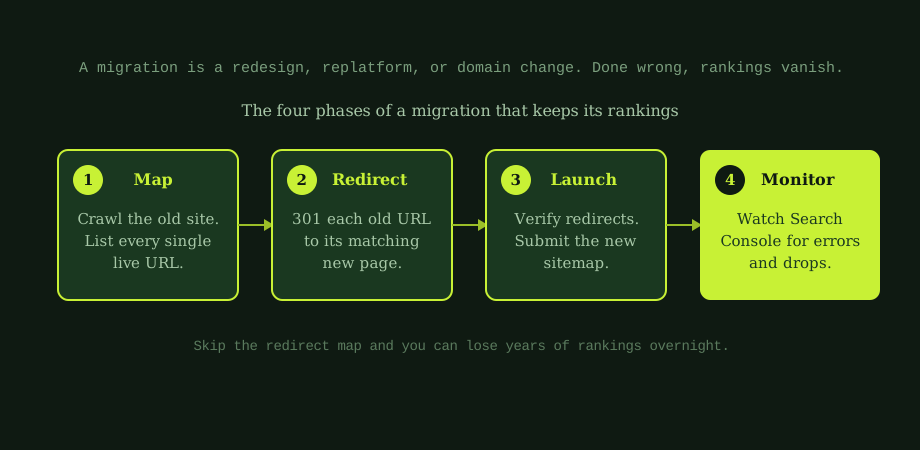
A migration is any change that affects your URLs or how search engines see your site: a redesign, a move to a new platform like Shopify or WordPress, a switch to a new domain, or a big restructure of your pages. The risk is always the same. If a URL that used to rank disappears and nothing tells Google where it went, the ranking goes with it.
Avoiding that comes down to one idea: nothing should silently vanish. Every old page either stays at the same address or points clearly to its replacement. Here is how to do that in four phases.
Phase one: map every URL
Before you change anything, you need a complete list of every URL that currently exists and ranks. Crawl the live site with a tool, export the list, and save it. This is your master inventory, and the migration is judged against it: every URL on this list must have a home after the move.
While you are here, note which pages bring the most traffic and links. Those are the ones you protect most carefully. If you are unsure what the site even contains, a basic technical audit is a good first step.
Phase two: build the redirect map

This is the heart of a safe migration. For every old URL whose address is changing, you create a 301 redirect, a permanent instruction telling Google the page has moved to a new address. The 301 carries the old page's ranking signals across to the new one.
Two rules make or break this step:
- One to one. Each old URL points to the single most relevant new URL. Do not bundle everything to the homepage. That throws away each page's specific value.
- No gaps. Every URL from your phase-one list is accounted for. A missed redirect is a 404, and a 404 is a lost ranking.
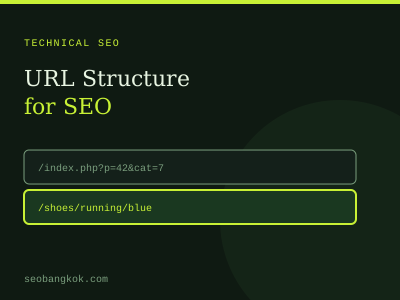
Keep URLs the same where you can. A URL that does not change needs no redirect at all. Only change URLs when there is a real reason. More on clean addresses in URL structure for SEO.
Phase three: launch carefully
On launch day, the work is verification, not improvisation. Apply every redirect from your map and test a sample to confirm they resolve to the right pages. Then check the three things that most often go wrong:
- robots.txt. Make sure the new site is not accidentally blocking search engines. Sites are often built on staging with crawling switched off, and that block gets carried live by mistake.
- The sitemap. Submit a fresh XML sitemap of the new URLs in Search Console so Google discovers them quickly.
- Tracking. Confirm your analytics and tags still fire, or you will be blind right when you most need data.
Phase four: monitor and fix fast
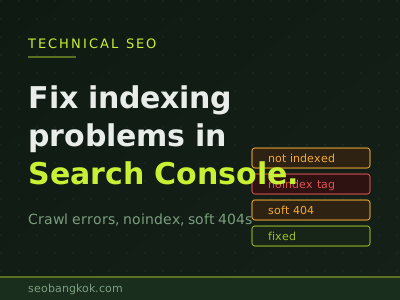
The migration is not finished at launch. For the next few weeks, watch closely. In Google Search Console, check for a spike in crawl errors or coverage problems, and act on anything that appears. If pages are not being found, see how to fix indexing problems.
Expect a small, short dip as Google recrawls and reprocesses the new URLs. That is normal and recovers on its own. What is not normal is a steep, sustained drop, which almost always means a redirect was missed or the site is blocked somewhere. The earlier you catch it, the easier it is to fix. A problem found in week one is a quick correction. The same problem found months later, after traffic has bled away, is a painful recovery.
Why this is the riskiest week in any SEO programme
Migrations get a scary reputation because so many are done without a redirect map, and those ones do lose rankings. A planned migration, with a full URL inventory, one-to-one 301s, a clean launch, and close monitoring, keeps almost everything. Whether your site is a small brochure or a large e-commerce store, the playbook a serious Bangkok SEO team follows is the same: protect what you have, then improve on it. The work is unglamorous, but it is the difference between a fresh coat of paint and starting from zero.
Redesign coming up? Replatform on the horizon? The thought of losing your rankings keeping you up at night is the right instinct, not paranoia. That is exactly the kind of work we plan and supervise. Our technical SEO services in Thailand cover migration planning end to end, from the redirect map to post-launch monitoring. An experienced SEO specialist in Thailand can map your URLs, protect your traffic, and make the move boring in the best possible way.
Common questions
Will I lose my rankings if I redesign my website?
You can, but you do not have to. The danger in any redesign, replatform, or domain change is that URLs change and the old ones are not redirected, so Google finds dead pages where ranking content used to be. The single most important safeguard is a complete 301 redirect map that points every old URL to its matching new page. If you keep the same content, redirect every URL one to one, and submit a fresh sitemap, rankings usually transfer with only a short, temporary wobble. Problems happen when pages are dropped, redirects are missing or wrong, or the new site is accidentally left blocked from search engines.
What is a 301 redirect and why does it matter for migration?
A 301 is a permanent redirect that tells search engines a page has moved for good to a new address. It matters in a migration because it carries the old page's ranking signals across to the new URL. Without it, a visitor or search engine hitting the old address gets a 404 error, and the ranking and any links pointing at that page are wasted. The goal is a one-to-one map: every old URL redirects to the single most relevant new URL, not all bundled to the homepage, which throws away their value. Building and testing this redirect map is the core of a safe migration.
How long does it take to recover rankings after a migration?
If the migration is done well, you may see only a brief dip of a few days to a few weeks as Google recrawls and reprocesses the new URLs, then rankings settle back. A small, short wobble is normal and not a reason to panic. If something is wrong, such as missing redirects or blocked pages, the drop is larger and does not recover on its own until the problem is fixed. That is why monitoring after launch matters: watch Search Console for crawl errors and coverage problems, confirm redirects resolve, and track your key rankings for several weeks.
Should I change my URLs during a migration?
Only if you have to. Every URL that changes is a redirect you must create and a small risk you take on, so the safest migration keeps URLs identical wherever possible. If you are simply redesigning the look of a site, there is often no need to change URLs at all, which removes most of the risk. If you are replatforming or restructuring and URLs must change, that is fine, but treat the redirect map as essential and map every single old URL to its new home. Do not change URLs just for cosmetic neatness during a migration.
A pre-migration SEO audit costs less than a post-migration recovery, and it establishes the baseline you will need to prove whether the move went well.