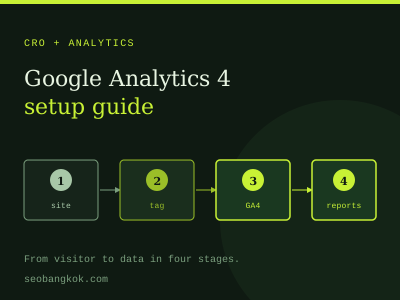
This guide assumes you already have GA4 installed. If not, start with setting up Google Analytics 4, then come back to turn that raw data into something you can act on.
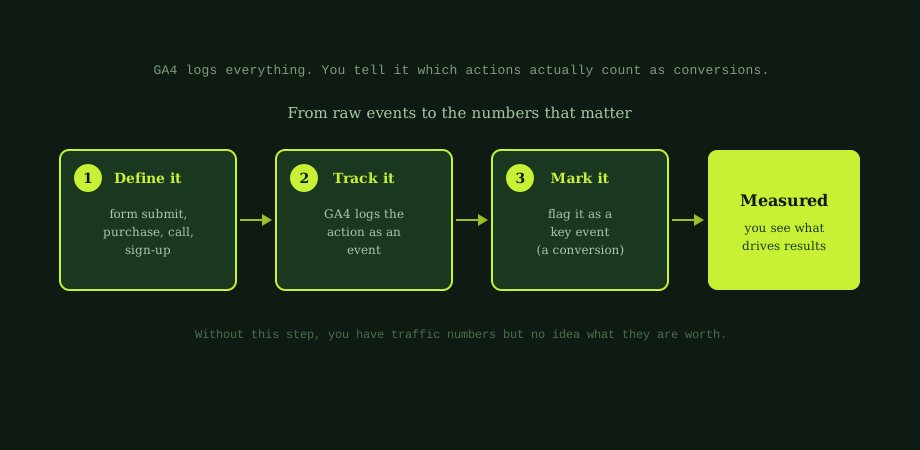
Here is the core idea. GA4 captures almost everything as an event: page views, scrolls, clicks, form submissions. But a scroll is not worth the same as a sale. Conversion tracking is how you tell GA4 which events actually matter, so it can report on them properly. The reporting layer that consumes this GA4 conversion data and surfaces it for stakeholders is in SEO reporting: what to show stakeholders.
Events, key events, and conversions
A quick word on terms, because GA4 changed them. GA4 records actions as events. The important events you single out used to be called conversions; GA4 now calls them key events. Most people still say conversions, and they mean the same thing. In this guide, when we say conversion, we mean an event you have marked as a key event.
So the relationship is simple: every conversion is an event, but only a few events should be conversions. The skill is choosing the right few.
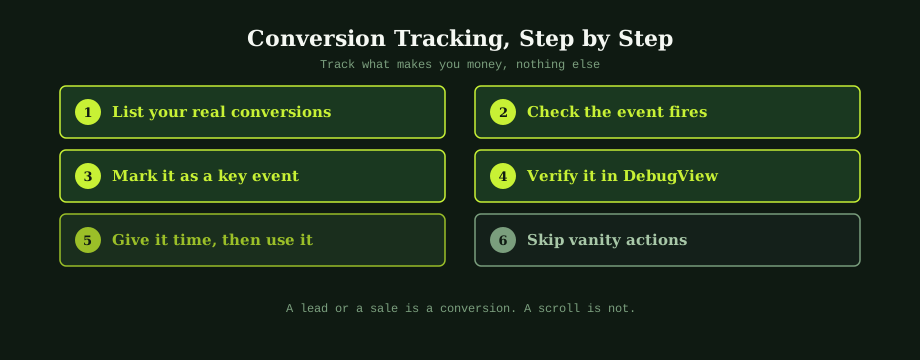
Step one: define your real conversions
Before touching GA4, decide what genuinely counts as a conversion for your business. These are actions with real value, not vanity activity. For most businesses they include:
- Contact form submissions, the classic lead for a service business.
- Purchases, for an online shop.
- Phone call clicks, when someone taps your number on mobile.
- Key sign-ups, like a quote request or newsletter, if they matter to you.
Keep the list short and meaningful. A scroll or a page view is not a conversion. If everything is a conversion, nothing is.
Step two: make sure the event fires
GA4 can only mark an event as a conversion if that event exists. Some happen automatically, but the important ones often need setting up. The most reliable approach for things like form submissions is to fire a clear, custom event, frequently done through Google Tag Manager.
The practical test is whether you can see the event appear in GA4 when you perform the action. If you can, you are ready to mark it. If you cannot, the event needs to be set up first.
Step three: mark it as a key event
Once the event exists and is firing, go to the events area in your GA4 settings and toggle that event on as a key event. That is the step that turns a tracked action into a counted conversion. From then on, GA4 reports it as a conversion and lets you analyse it across channels and pages.
Step four: verify it works
Never assume tracking works; test it. Perform the action yourself, such as submitting your own contact form, and check that it registers. GA4 gives you two tools for this:
- Real-time reports, which show activity as it happens.
- DebugView, which shows detailed events from a device in debug mode.
Watch for your event and key event appearing when you complete the action. Then check a day or two later that conversions are accumulating in your reports. Skipping this is one of the most common and costly mistakes, because broken tracking means you make decisions on wrong data without knowing it.
Step five: actually use the data
Tracking conversions is only worth it if you act on what you learn. Once the data flows in, you can answer the questions that matter:
- Which channels bring conversions, not just traffic? A channel with fewer visitors but more conversions is more valuable.
- Which pages convert best? This guides where to focus your landing page optimisation.
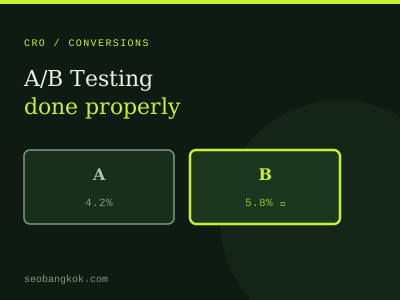
- Is a change helping? Conversion data is what makes A/B testing possible; without it, you cannot tell which version won.
This is the foundation of measuring real results, the mindset behind conversion rate optimisation. You cannot improve a conversion rate you are not measuring.
The one rule to remember
Track what makes you money, and nothing else. The temptation is to mark lots of events as conversions because the numbers feel good. Resist it. A focused set of genuine conversions gives you clean, decision-ready data. A bloated one buries the signal in noise.
Once your conversion tracking is solid, every other measurement effort gets easier and more honest, because you finally know what your traffic is worth. See which SEO metrics actually matter.
Conversion tracking is the kind of work that either runs perfectly in the background for years or quietly fails for months. The difference is one careful setup and a quick verification. Our digital consultancy covers analytics and measurement, and an experienced SEO expert in Bangkok can configure your events, check they fire, and build the simple reporting that shows what is actually driving your business.
Common questions
What is a conversion in GA4?
In GA4, a conversion is an event you have flagged as important, because it represents a valuable action like a lead or a sale. GA4 now calls these key events, though most people still say conversions, and the two mean the same thing in practice. GA4 automatically tracks many events, such as page views and scrolls, but on its own it does not know which of those matter to your business. You tell it by marking the meaningful ones, for example a contact form submission or a completed purchase, as key events. Once marked, GA4 counts them as conversions and reports on them separately, so you can see how many you get and what drives them, rather than drowning in raw activity data.
How do I track form submissions in GA4?
Start with the event itself. Make sure something fires when the form is submitted. Some setups generate a form_submit event automatically, and many sites use Google Tag Manager to fire a clear, custom event on submission, which is the most reliable approach. Once the event exists and you can see it appearing in GA4, go to the events area and mark that event as a key event. From then on, GA4 counts each form submission as a conversion. Always verify before trusting it: submit a test form and check the event appears in real-time or DebugView. A form submission is one of the most common and valuable conversions for service businesses, so it is usually the first one worth setting up.
What is the difference between events and conversions in GA4?
Events are the raw building blocks: GA4 records almost everything visitors do as an event, including page views, scrolls, clicks, video plays, and form submissions. Conversions, or key events, are simply the events you have singled out as important. Every conversion is an event, but only a few events should be conversions. The distinction matters because it keeps your reporting meaningful. If you marked every event as a conversion, the number would be noise. By reserving the conversion label for actions that genuinely represent business value, like enquiries and sales, your conversion reports tell you something useful, and you can compare channels and pages by how many real conversions they produce.
How do I know if conversion tracking is working?
Test it directly rather than assuming. The quickest way is to perform the action yourself, such as submitting your own contact form, and then check that it registers. GA4 offers real-time reports that show activity as it happens, and DebugView, which shows events from a device in debug mode in detail. Watch for your event and key event appearing when you complete the action. It is also worth checking a day or two later that conversions are accumulating in your reports. Skipping this verification is a common and costly mistake, because broken tracking means you make decisions on missing or wrong data without realising it. A two-minute test saves a lot of trouble.