Here is the short version. To check if your brand appears in AI search, run the questions your buyers ask across the four main AI tools, record where you show up, and repeat the test over time. The wider brand SEO discipline that frames why this matters is in what is brand SEO. You do not need paid software. A spreadsheet and an hour will tell you most of what you need to know.
The rest of this guide walks through the method step by step. It also explains the part that confuses most people: why the answers keep changing, and how to read them anyway.
The four surfaces to check
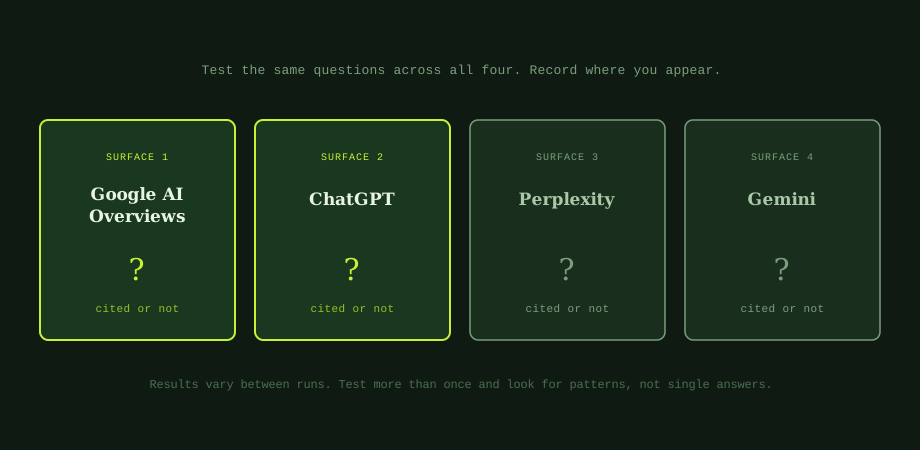
AI search is not one place. Your buyers may use any of four main tools, and each one works a little differently:
- Google AI Overviews. The AI answer box at the top of many Google searches. The biggest reach, since it sits inside normal Google.
- ChatGPT. The tool that sends the most AI referral traffic by far. Worth checking first if your time is limited.
- Perplexity. A search-focused AI tool that always shows its sources, which makes it easy to see who gets cited.
- Gemini. Google's standalone AI tool, separate from AI Overviews.
You want to know if you appear in each one. A brand can show up in ChatGPT but not in Google AI Overviews, or the other way around. Checking all four gives the full picture.
The step-by-step check
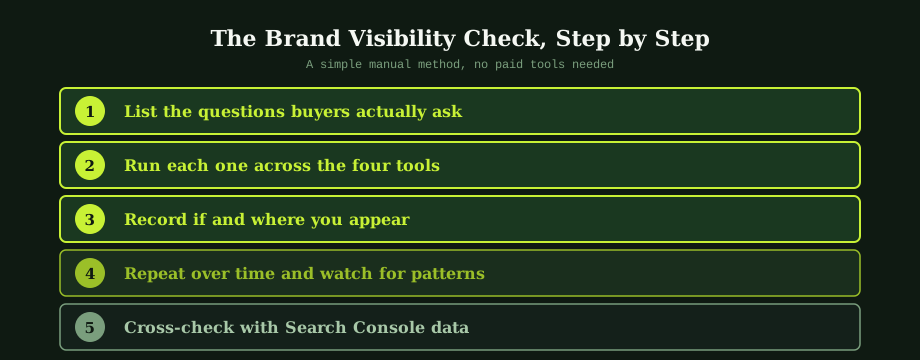
Follow these five steps.
1. List the questions buyers actually ask
Write down 10 to 20 real questions your customers might ask an AI tool. Think about the questions that should surface your business. For an SEO agency in Bangkok, those might be:
- "Who are the best SEO agencies in Bangkok?"
- "How much does SEO cost in Thailand?"
- "How do I find an SEO consultant in Bangkok?"
Use the words your buyers use, not industry jargon. These are the prompts you will test.
2. Run each question across the four tools
Open each tool and ask your questions one by one. Use a fresh chat each time so old context does not affect the answer. Ask the question plainly, the way a real person would.
One tip: try a few phrasings of the same question. AI tools can give different answers to "best SEO agency Bangkok" and "who should I hire for SEO in Bangkok," even though they mean the same thing.
3. Record if and where you appear
For each question and tool, note three things in a simple spreadsheet:
- Did the answer mention your brand by name?
- Did it cite or link your website?
- Which competitors appeared instead?
That third column matters. If the same competitors keep showing up, they are the sources these tools trust on your topic. That tells you who to study and where the gap is.
4. Repeat over time and watch for patterns
This is the step most people skip, and it is the most important. AI answers change between runs. A single test is not reliable. Run the same questions again after a few days, and again a week or two later.
Then read the pattern, not the single answer. If you appear in most runs, your visibility is solid. If you almost never appear, that is the real signal.
5. Cross-check with Search Console
Google Search Console does not show a clean AI Overviews report. But AI Overview impressions are mixed into your normal Search performance data. Look for a useful clue: pages that gain impressions but lose click-through rate may be showing in AI Overviews, where users get the answer without clicking.
Combine this with your manual testing. Together they give a fuller picture than either alone. The wider use of Search Console is more on that in fixing indexing problems in Search Console.
Why the results keep changing
Where you test the same question twice and get different answers, nothing is broken. AI tools are built that way. Three reasons:
- Built-in randomness. The models vary their wording and choices on purpose.
- Fresh searches. Some tools search the web again each time, so new pages can change the answer.
- Frequent updates. The tools and their data change often.
This is exactly why step four matters. Judge your visibility on the pattern across many tests, not on one answer. One good answer does not mean you are safe. One bad answer does not mean you are invisible.
What to do if you do not appear
Where your brand rarely shows up, do not panic and do not chase AI tricks. The fix is mostly good SEO. Work through these in order:
- Check your normal rankings first. AI tools mostly cite pages that already rank well. If you are not on page one for the question, fix that first.
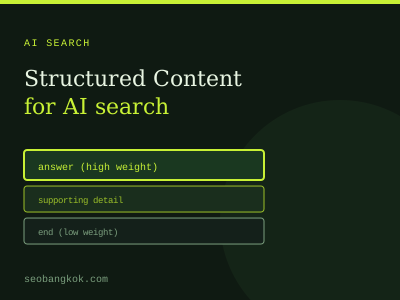
- Put clear answers near the top. AI lifts direct answers, so do not bury them. This is the point of structured content for AI search.
- Build real authority. Cover your topic in depth and earn mentions across the web.
- Define your business clearly. Use schema and keep your Google Business Profile complete and accurate. This is the heart of entity SEO for AI search.
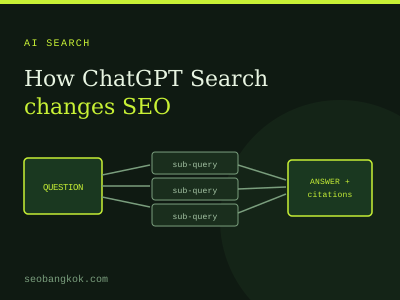
All of this improves both normal and AI search, so the effort is never wasted. For the full checklist, run the 10-point AI readiness audit. The reason is explained in how ChatGPT Search changes SEO strategy: AI search rewards the same quality signals that drive good rankings.
How often to run the check
For most businesses, a full check once a quarter is enough. If AI search is a major channel for you, or you are actively working to improve your visibility, run it monthly. Keep your spreadsheet so you can see the trend over time. The trend is what matters, not any single test.
Having someone else run the visibility check, with a clear report and a prioritised plan, is faster than doing it quarterly yourself. Our AI search optimisation service includes a visibility audit across all four tools. A trusted SEO company in Thailand can follow it with the work to close any gaps that turn up.
Common questions
How do I check if my brand appears in AI search results?
Use a simple manual method. First, list the real questions your buyers ask, the kind that should surface your business. Then run each question across the four main AI tools: Google AI Overviews, ChatGPT, Perplexity, and Gemini. For each one, record whether your brand is mentioned, whether your site is cited or linked, and which competitors appear instead. Repeat the test more than once, because AI answers vary between runs. Look for patterns across several tests rather than reacting to a single answer. You do not need paid tools to do this.
Why do AI search results change every time I check?
AI tools do not give the same answer every time. The same question can produce different wording, different sources, and different brands across runs. This happens because the models have some built-in randomness, they may search the web fresh each time, and they update often. This is normal. The fix is to test the same questions several times over a period of days or weeks, then look at the pattern. If your brand appears in most runs, you have solid visibility. If it appears rarely or never, that is the real signal.
Can Google Search Console show AI search data?
Partly. Google Search Console does not give a clean, separate report for AI Overviews. But AI Overview impressions and clicks are included in your overall Search performance data. You can look for clues: pages that gain impressions but lose click-through rate may be appearing in AI Overviews where users get the answer without clicking. Watching these trends over time, alongside your manual testing, gives a fuller picture than either method alone. Search Console remains the most reliable first-party data you have.
What should I do if my brand does not appear in AI search?
Start with your normal SEO, because AI tools mostly cite pages that already rank well. Check whether you rank on the first page for the questions you tested. If not, that is the first thing to fix. Next, make sure your answers are clear and near the top of the relevant pages, since AI tools lift direct answers. Build genuine authority on the topic through depth and consistency. Make sure your business is well defined through schema and a complete Google Business Profile. These steps improve both normal and AI search visibility.